Screen for covered calls and cash-secured puts
Picking a strike on one stock is a matter of reading its chain. Finding which stocks and funds to sell calls on is a search across the whole market. In this tutorial you’ll set up the Trade Screener to find covered calls in the expiration and delta range you choose, leave out any with earnings or a dividend before expiration, open one in Trade analysis, and then run the same screen for cash-secured puts.
You don’t need an account, or any shares: the screener runs on the delayed feed and models each trade from scratch. The screenshots follow one screen from start to finish.
1. Open the Trade Screener
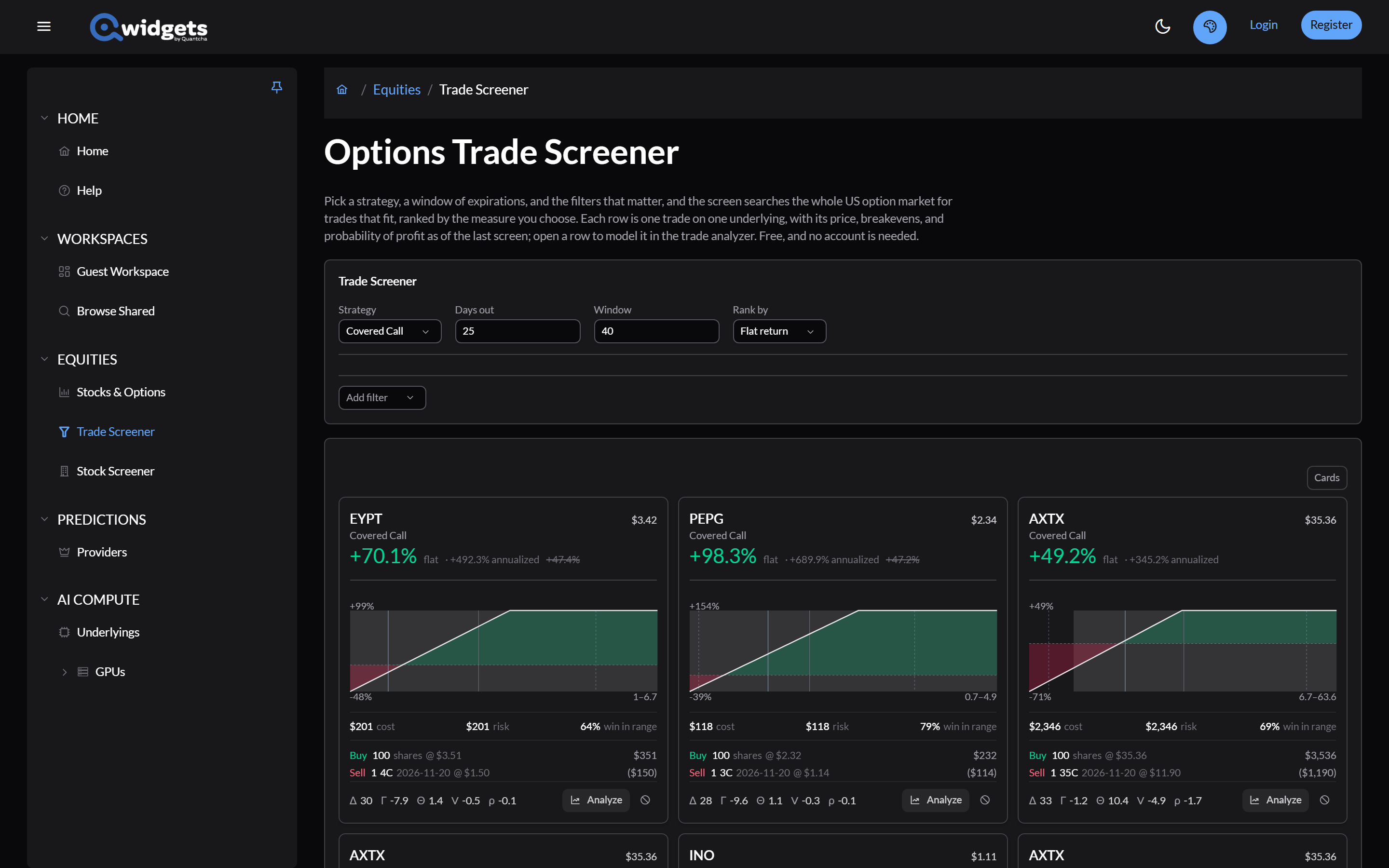
Select Trade Screener in the left-hand menu.
2. Choose the strategy and expirations
- Strategy is already Covered Call, the screener’s default.
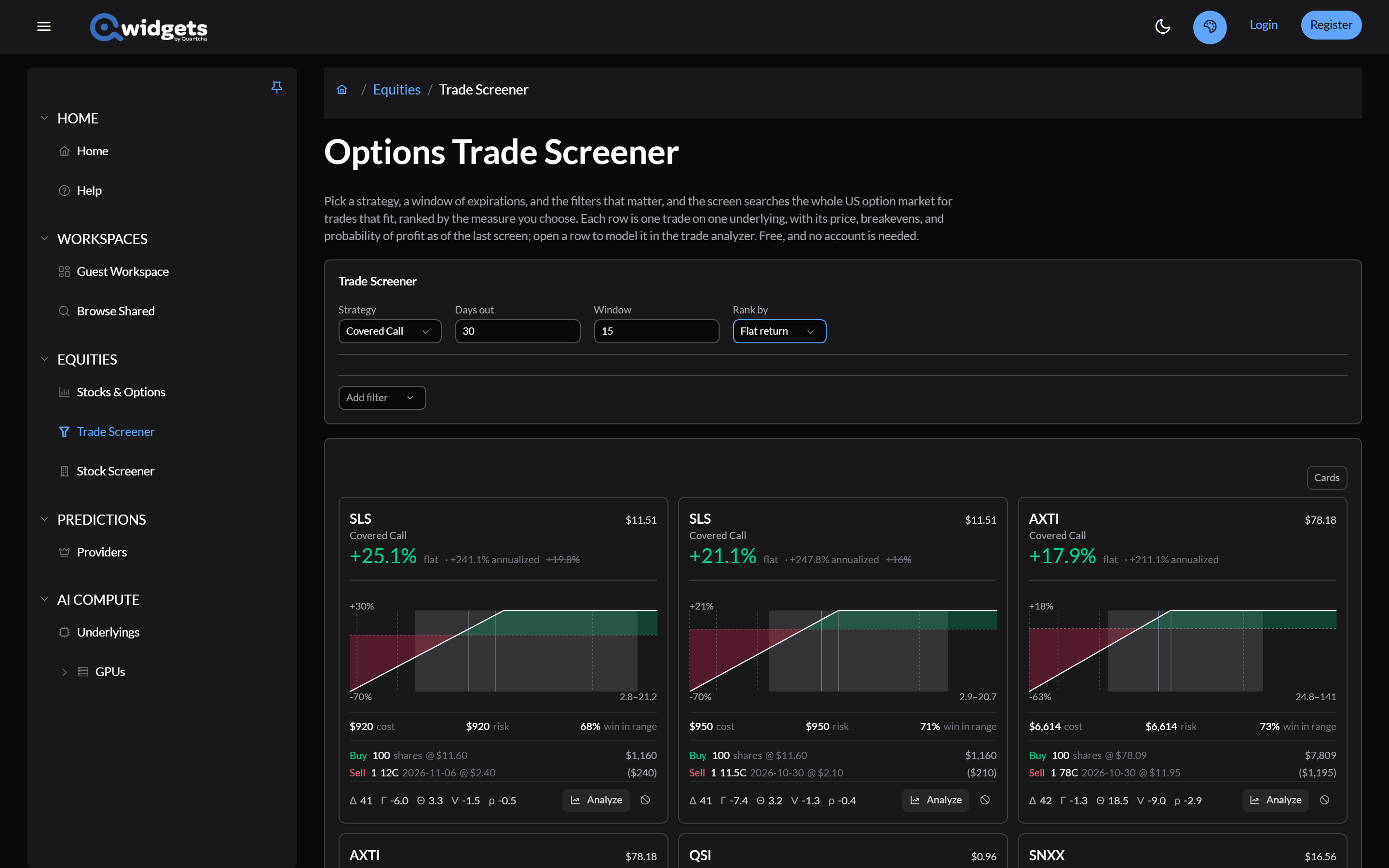
- Set Days out to 30 and Window to 15, to search expirations 30 to 45 days from today.
3. Filter to the calls you’d sell
Open Add filter and add four. For each range filter, set its values and select the check mark to apply it.
- Delta, absolute, in the Greeks group: set it to Between 0.25 and 0.35, to keep calls near the strike you’d choose. It’s the size of the delta, so the same filter works for calls and puts.
- Open interest, in the Liquidity group: it starts at 500 or more, so the contracts already have holders. Apply it as it is.
- Earnings before expiration, in the Events group: it’s added set to No report, which leaves out calls that span an earnings report.
- Dividend before expiration, also in Events: it’s added set to No dividend, which leaves out calls whose shares go ex-dividend before expiration.
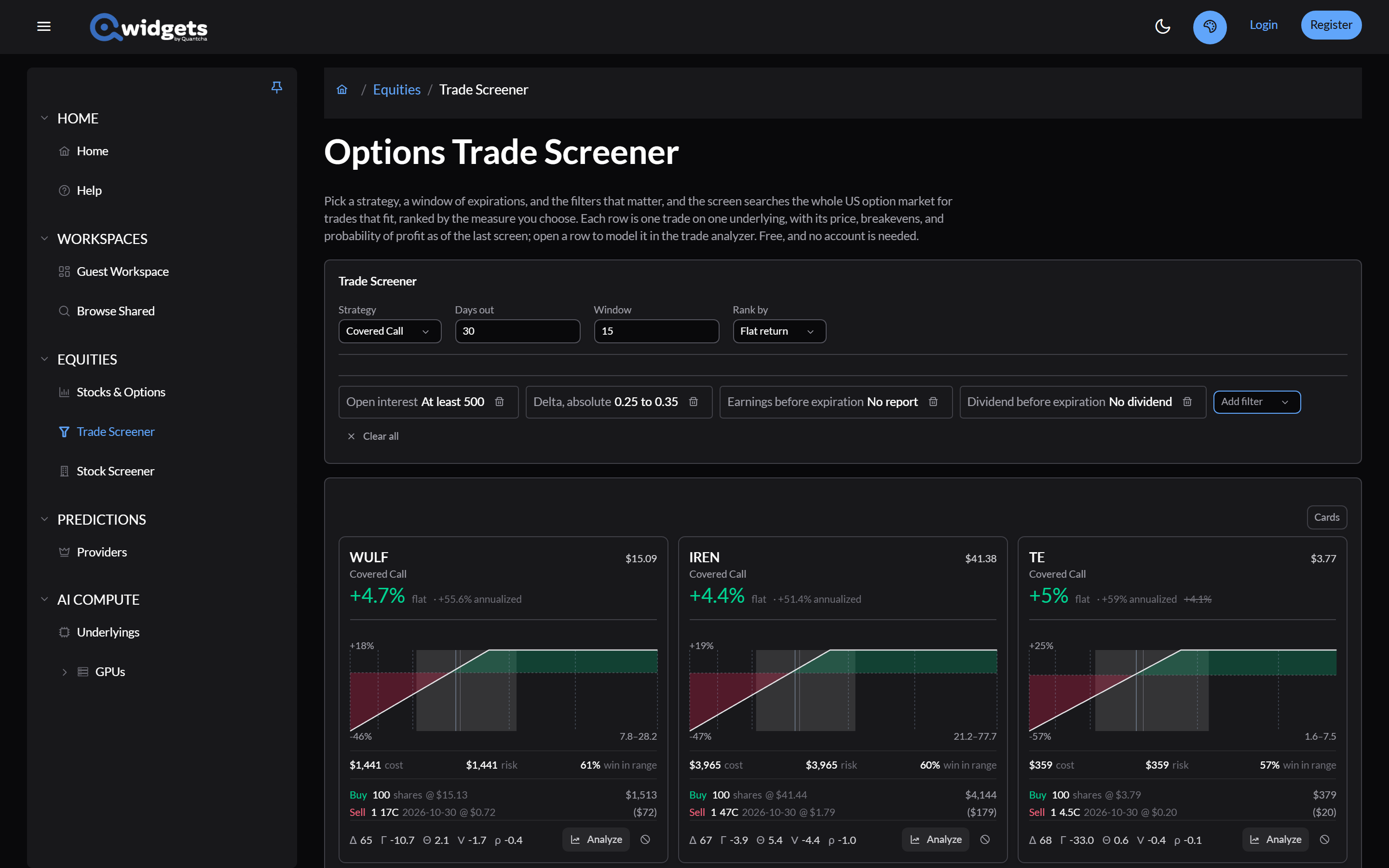
The two event filters matter more than they look. A call that spans an earnings report pays more because it caps a good surprise, and a dividend before expiration is what gets an in-the-money call assigned early. Check the calendar before you sell explains both. The earnings filter also leaves out underlyings with no scheduled report, which includes most funds, so remove it when you’re screening funds.
4. Rank and read the results
Set Rank by to Average annualized. The results show as cards.
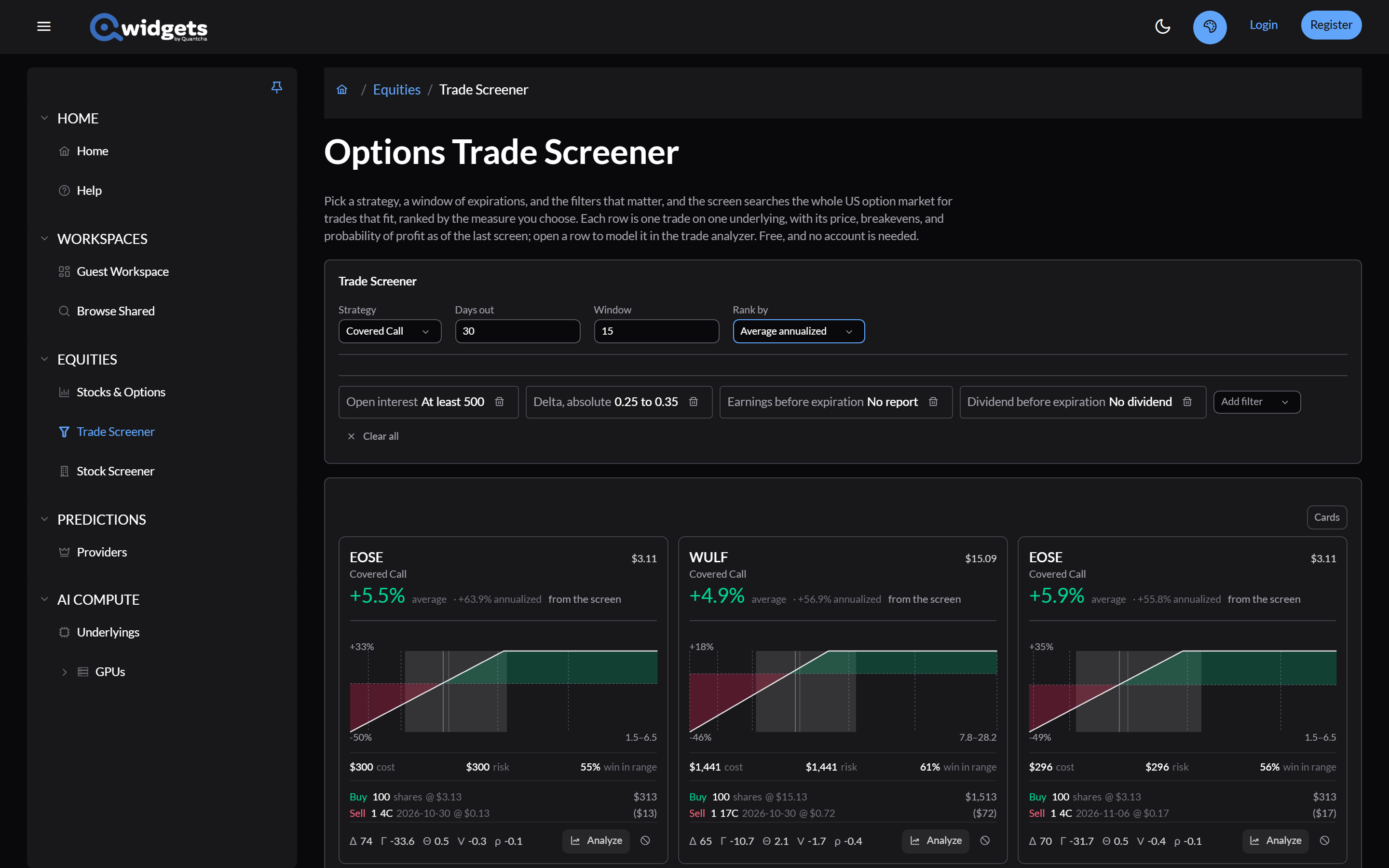
Look at the top results’ underlyings. The highest returns usually belong to the most volatile names, because implied volatility is what the premium pays for. A high return at the top of this list is the market charging for a larger risk, not a better deal. Compare each card’s return with its win in range and ask whether you’d be comfortable owning those shares through a fall.
5. Open a result in Trade analysis
Select Analyze on a card. The trade opens in Trade analysis on delayed prices, with the screen’s date and forecast range.
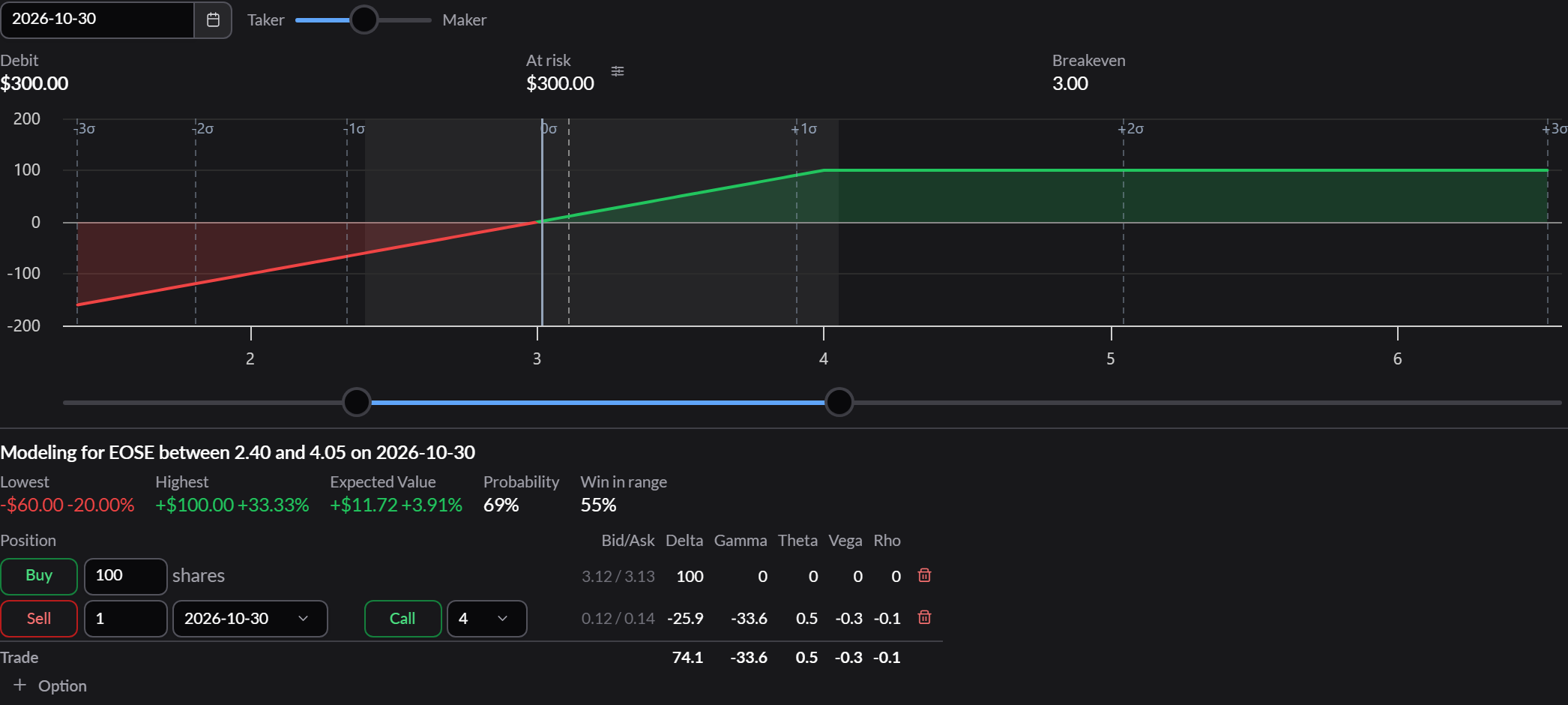
From here, Analyze a covered call walks through reading it.
6. Run the same screen for cash-secured puts
Use your browser’s back button to return to the screen, and set Strategy to Secured Put. The filters stay as they are and apply the same way: Delta, absolute works for puts too, because it ignores the sign.
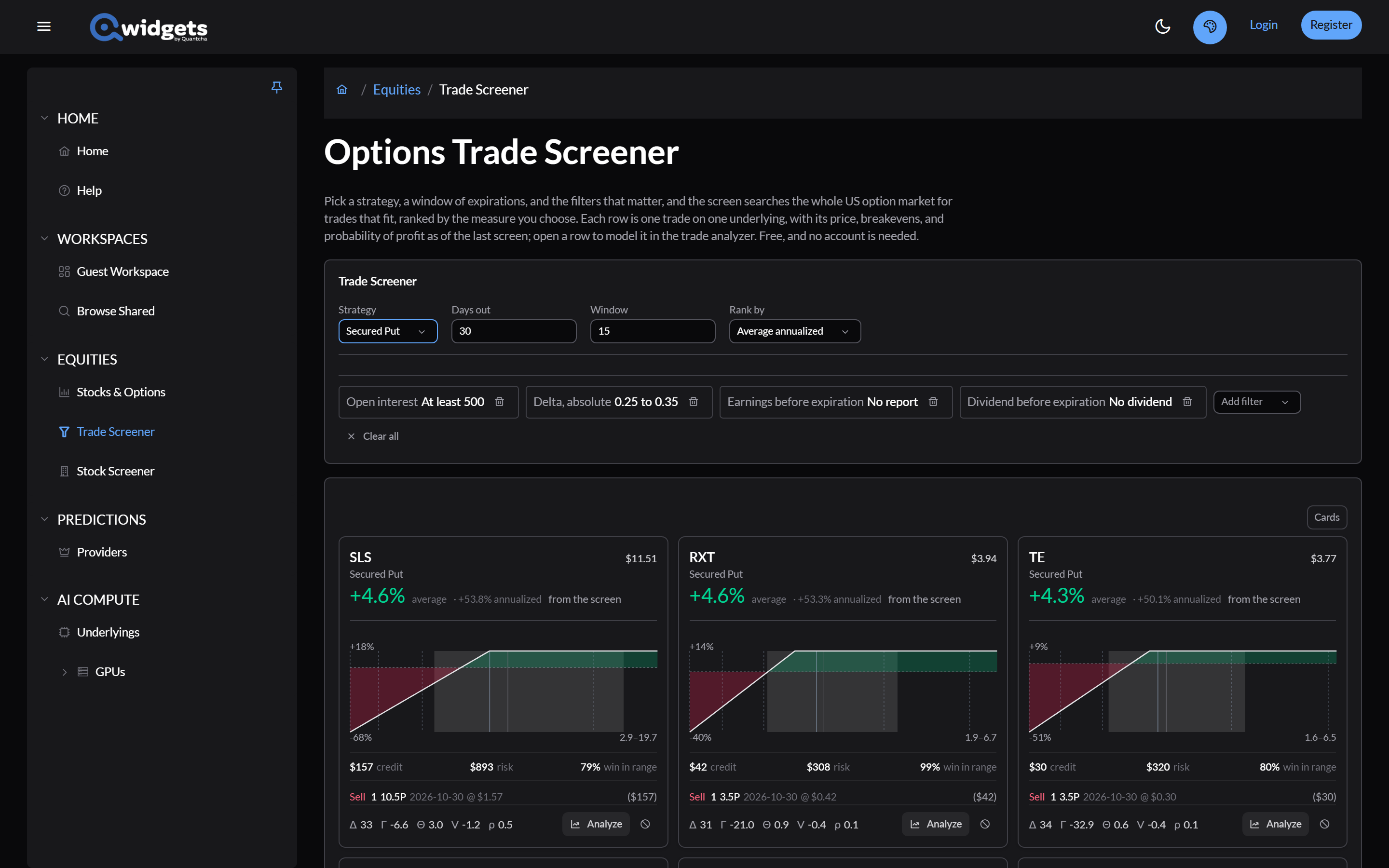
Cash-secured puts: the same position from the other side explains why the two lists tell you nearly the same thing.
What’s next
- Trade screener: every strategy, ranking, and filter.
- Choosing strikes and expirations: what the delta range is choosing between.