Trade Ticket
Build and place a stock or option order, with the legs and price in front of you. It needs a connected brokerage account; see Brokerage accounts. See Brokerage accounts for what each brokerage supports.
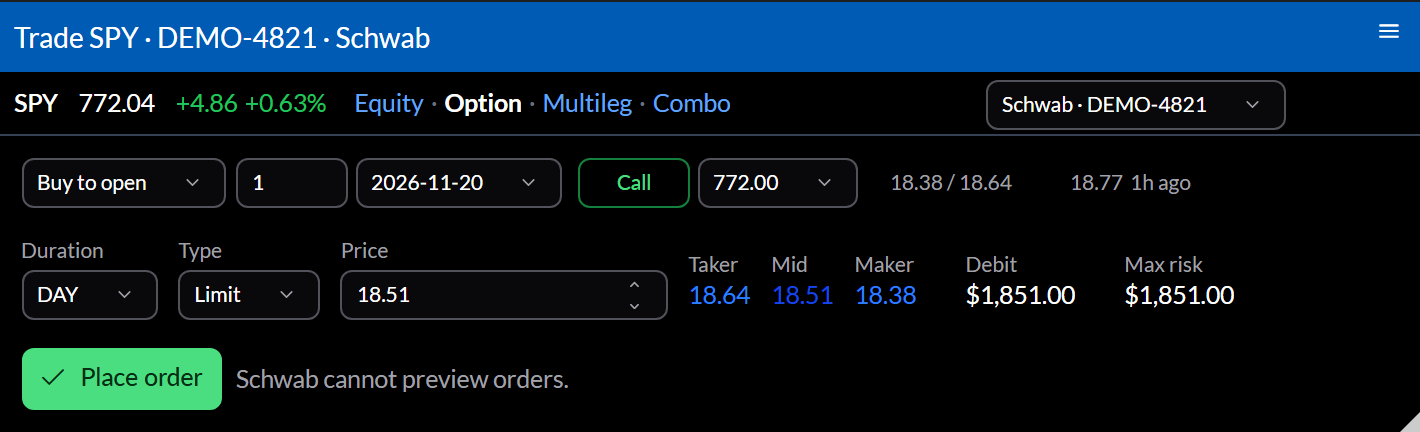
Placing an order
- Choose Equity, Option, Multileg, or Combo in the top bar, and the account on the right.
- Set each leg’s side, quantity, and contract.
- Choose the Duration and Type, and a Price; Taker, Mid, and Maker fill it in. The ticket shows the debit or credit and the maximum risk.
- Select Place order. Where the brokerage can preview orders, you see its preview first.
Once placed, the ticket becomes an Order widget watching the new order.
Settings
Configure sets the Brokerage, Account, and Underlying. Most tickets open already filled in, from a position’s Close Position or Roll Position, a chain’s bid or ask, or a trade’s Trade.