Performance
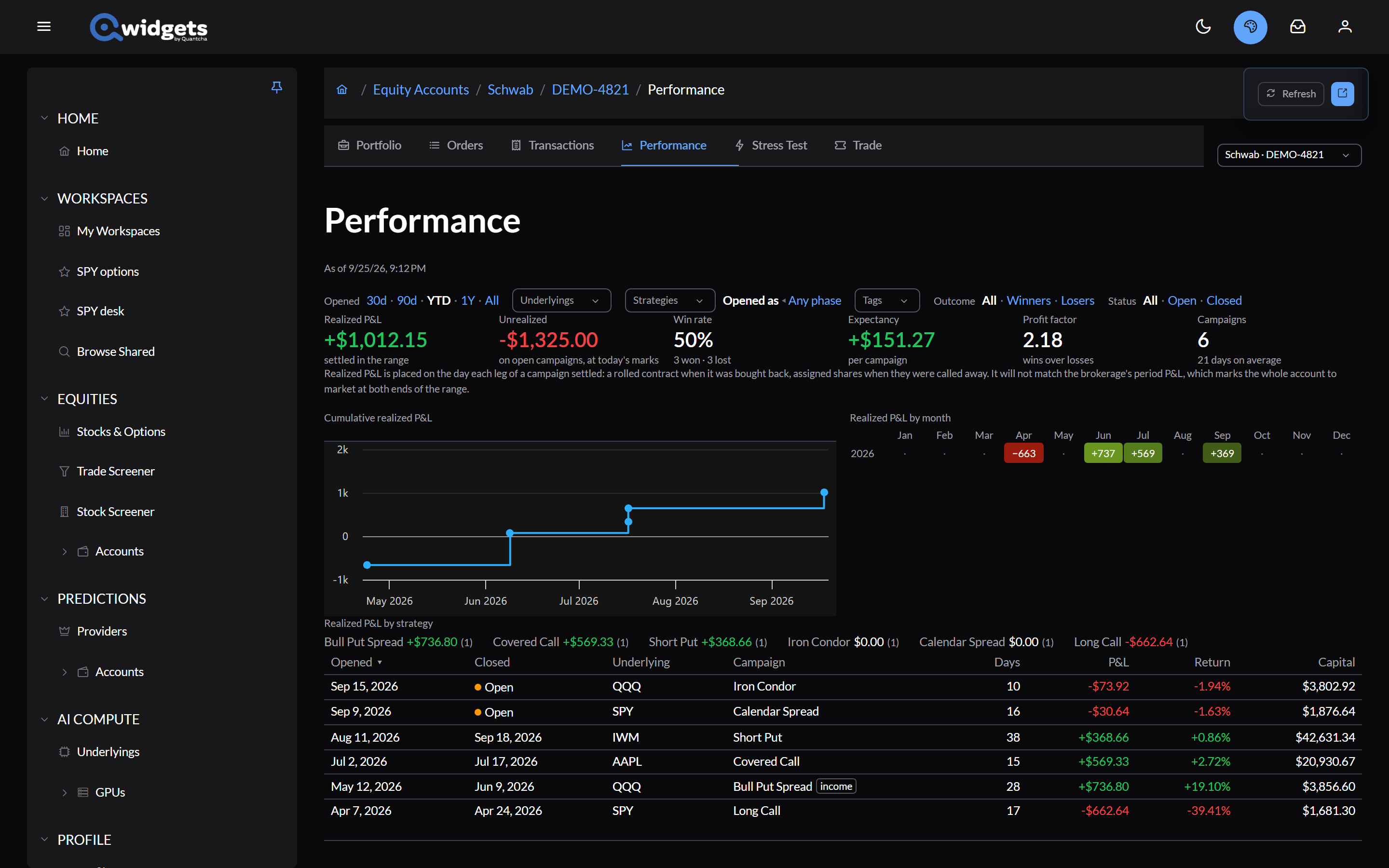
The Performance tab works out how your trading has gone from the account’s whole transaction history, campaign by campaign.
Campaigns
A campaign is one span of a position in an underlying, from flat to flat: everything from the first trade that opens it to the one that leaves you with nothing. Rolls, adjustments, assignments, and expirations along the way stay in the same campaign. Each campaign is named for its strategy, such as Iron Condor or Covered Call.
The page
The first time in a session, Performance asks before reading the whole history, since a busy account can take a moment: select Load all transactions.
- Filters: a date range (30d, 90d, YTD, 1Y, or All), underlyings, strategies, tags, winners or losers, and open or closed.
- Tiles:
- Realized P&L: settled in the range.
- Unrealized: on open campaigns, at today’s marks.
- Win rate, Expectancy (per campaign), and Profit factor (wins over losses).
- Campaigns: how many, and how long they last on average.
- Charts: cumulative realized P&L, realized P&L by month, and realized P&L by strategy.
- The campaign list: when each opened and closed, the underlying, the strategy, days held, P&L, return, and capital. Open campaigns are marked. Select one to see its timeline; see Campaign Journal.
Realized P&L lands on the day each leg of a campaign settled: a rolled contract when it was bought back, assigned shares when they were called away. It won’t match your brokerage’s period P&L, which marks the whole account to market at both ends of the period.
When the history has gaps
If what the history says you hold doesn’t match what the brokerage reports now, Performance says so at the top, underlying by underlying, and offers Fix, which fills in the missing row. This most often happens with a position held since before the brokerage’s history begins. See Transactions.
Campaigns that need a look, for example because an expiration had to be inferred, are marked review.