Events and markets
An event is a question, such as where a rate will settle or who will win. Its markets are the tradable outcomes, each with a Yes and a No side.
An event’s page
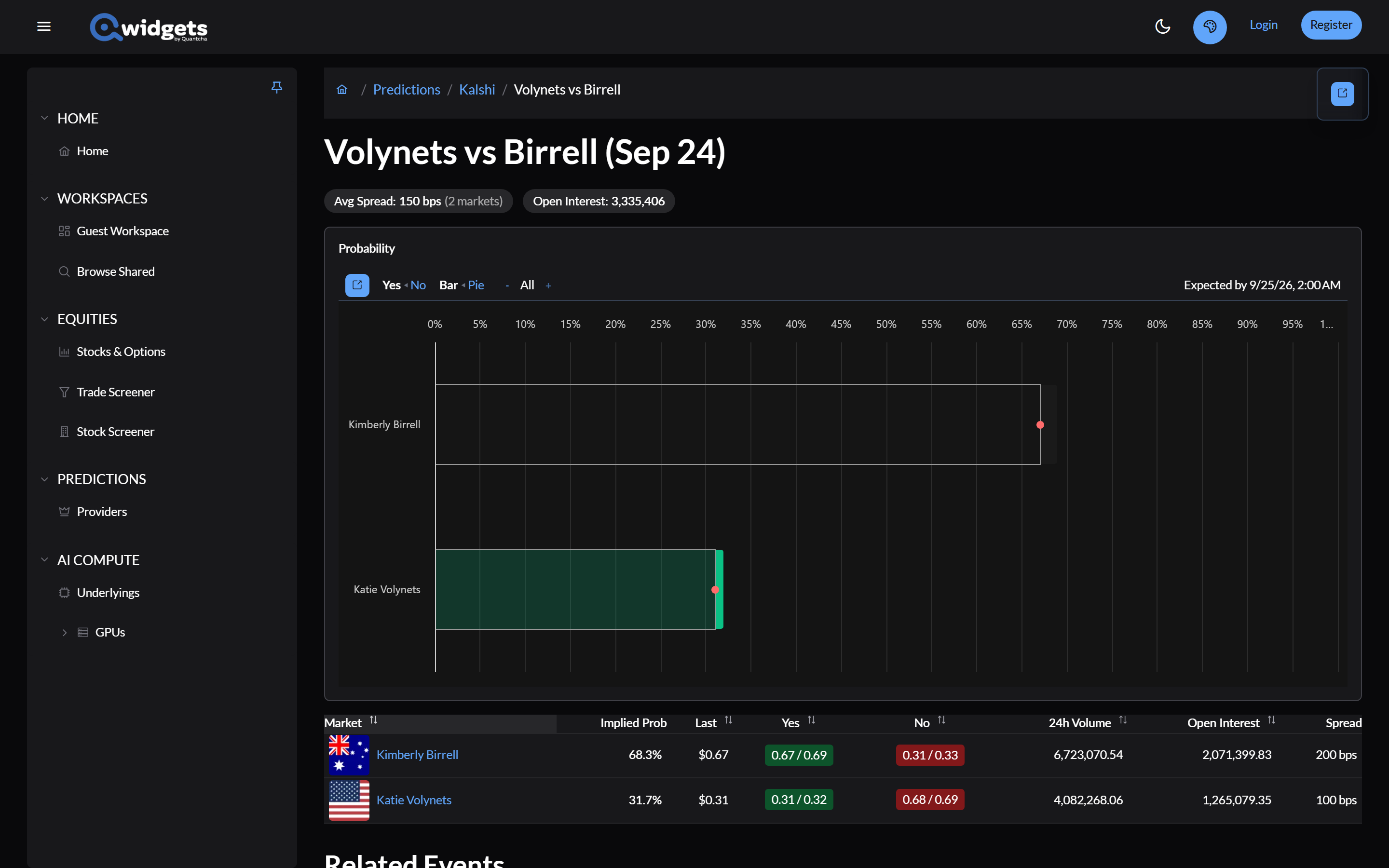
The top of the page shows the event’s average spread and open interest, and Event Ended once it’s over.
The chart depends on the kind of event:
| Event | Chart |
|---|---|
| One market | The market’s probability, with a Yes/No toggle |
| A ladder of thresholds, such as “above X” | Probability by strike, with an Over/Under toggle |
| Ranges, such as “between X and Y” | The distribution across ranges, with an Exactly/Not toggle |
| A spread between two outcomes | Probability by spread |
| A numeric outcome | Expected payout, with an Expected Payout/Inverse Payout toggle |
| Several outcomes | Each outcome’s probability, as a bar or pie chart |
Click a market on the chart to open its page, or, with a Kalshi account connected, to trade it.
The markets table lists each market with Implied Prob, Last, the Yes and No bid and ask, 24h Volume, Open Interest, and Spread. Markets that have resolved show how they resolved. With a Kalshi account connected, a Trade link appears on each Kalshi market.
Below the table are Related Events and Series Events: other events on the same subject, and other dates in the same series.
A market’s page
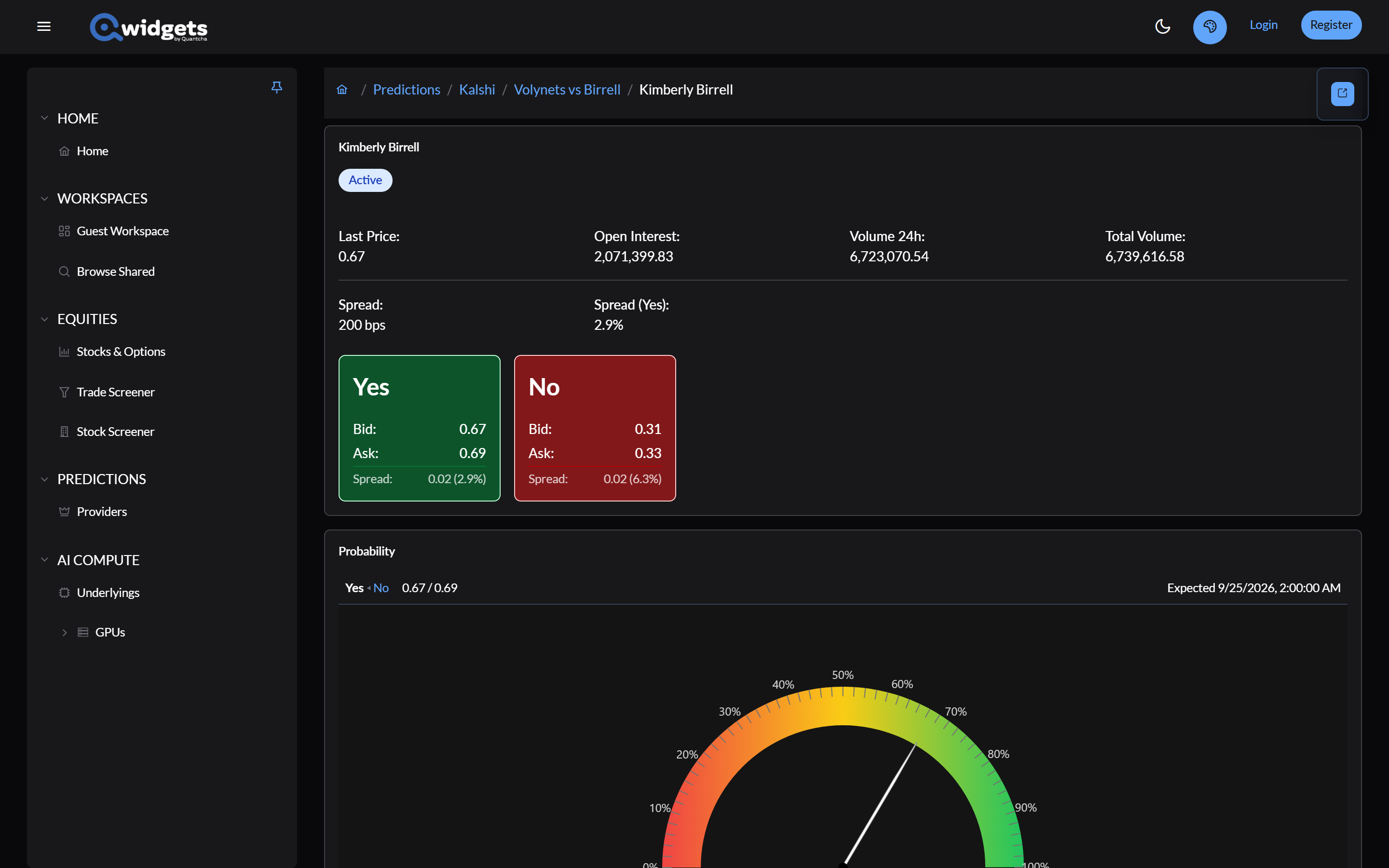
- The header: last price, open interest, 24-hour and total volume, the spread, and the Yes and No bid and ask. Settlement shows when the market is expected to settle.
- Probability: the market’s implied probability, for Yes or No.
- History: a candlestick chart of the market’s price, at 1-minute, 1-hour, or 1-day intervals, over the last 15 minutes, 24 hours, or 15 days.
- Order Book: the resting orders at each price, for Yes or No, cumulative or level by level, in contracts or dollars. Kalshi and Polymarket have order books; Manifold and PredictIt don’t.
- Rules: how the market resolves, in the exchange’s words.
With a Kalshi account connected, Trade via at the top opens a ticket for the market. See Kalshi account.
Put it on a workspace
Share To Workspace on an event adds an event widget, or, from the chart’s panel, just its chart. On a market it adds a market widget. Create Workspace from the same menu builds a workspace for the event, with charts for it and its related events, and optional tables and history. See Composing widgets.