Book
One underlying’s positions in an account, and what they’re worth now and at a target date. It needs a connected brokerage account; see Brokerage accounts. See Book management for the book page, where you edit it.
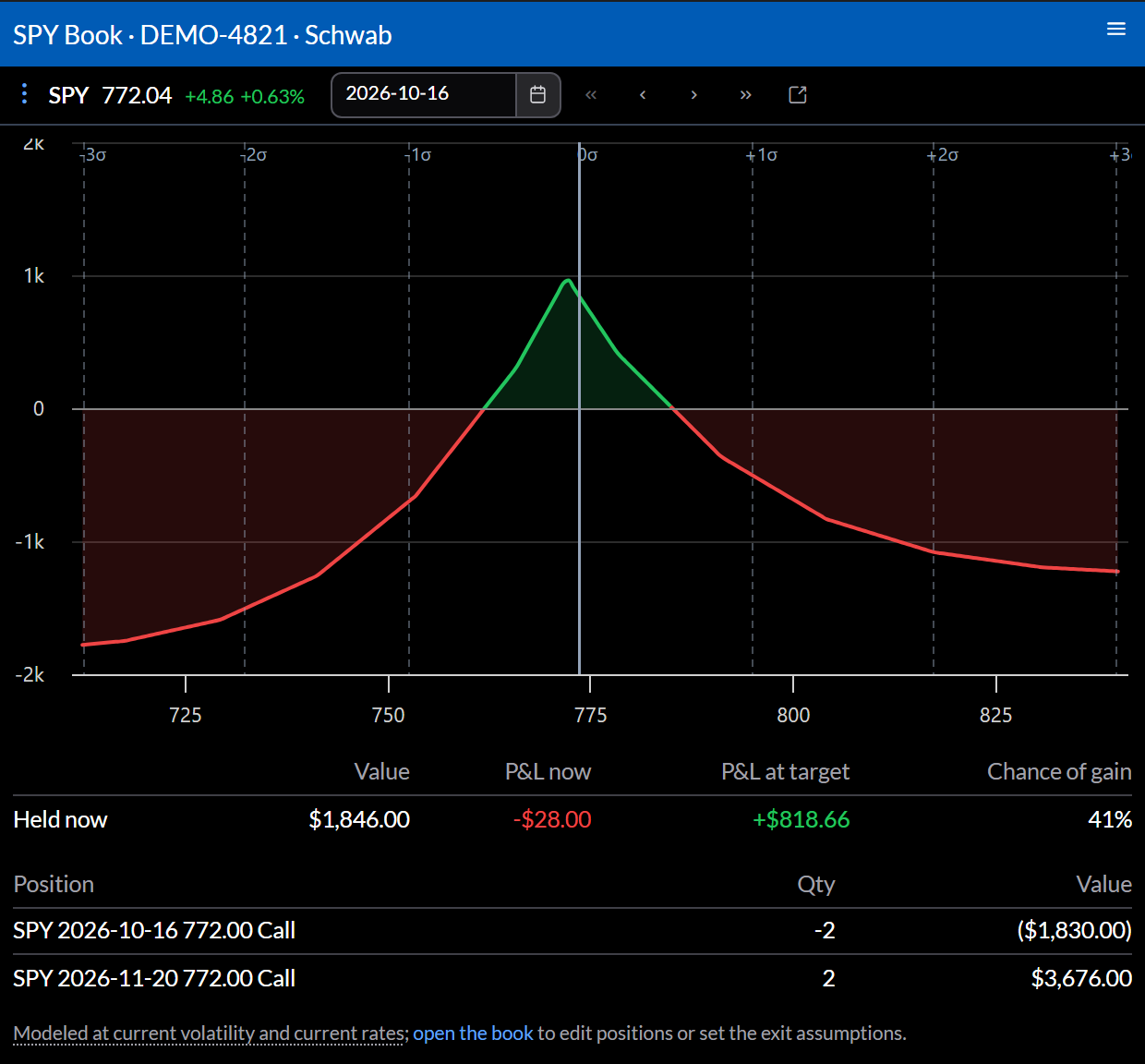
What it shows
- A profit and loss curve at the target date.
- Held now, and, when you’ve staged changes on the book page, the Pending book: Value, P&L now, P&L at target, and Chance of gain.
- The positions, with what’s held and pending.
Settings
- The top bar sets the target date; the arrows step through expirations.
- With pending changes, the ticket button trades them and the reset button returns to what you hold.
- The link button opens the book page to edit positions and exit assumptions.
- Configure sets the Brokerage, Account, and Underlying.
Actions
⋮ opens Open Portfolio, Open Orders, and the underlying in other widgets.