Book management
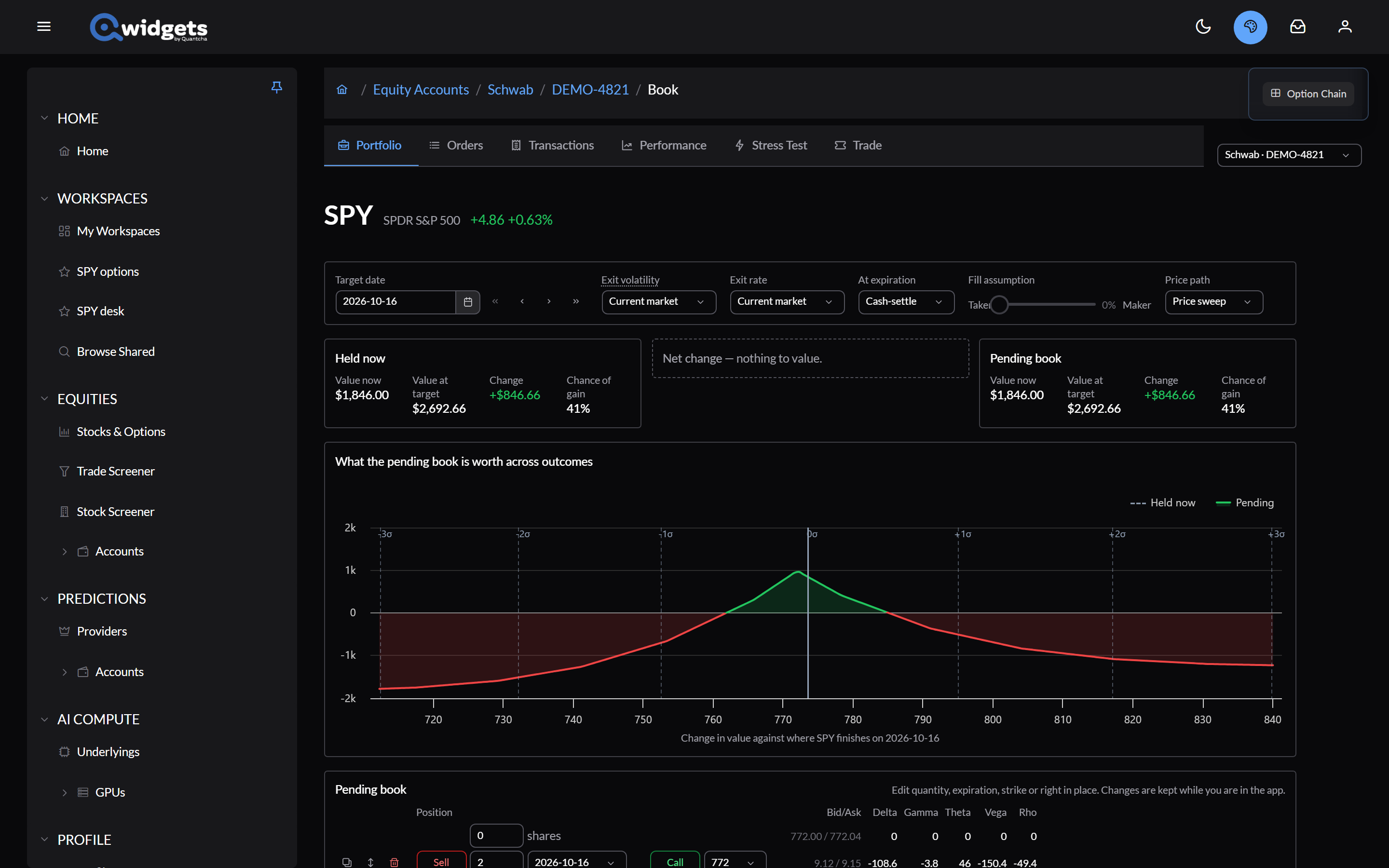
A book is everything one brokerage account holds in one underlying: shares and options, across expirations. The book page values it now and at a target date, and lets you try changes before you trade them. It needs a connected brokerage.
Getting there
- Manage book next to an underlying in the account’s Portfolio.
- Manage book next to a name in the stress tester.
- Model in book in Trade analysis, which adds a trade as pending changes.
Assumptions
- Target date: the date the book is valued at. The arrows step to the previous or next expiration, or back and forward a week.
- Exit volatility and Exit rate: Current market, or a custom value.
- At expiration: how a contract that expires before the target date is handled: Cash-settle, Always exercise, or Exercise if covered.
- Fill assumption: where you expect to trade the changes, from Taker to Maker.
- Price path: Price sweep or Monte Carlo.
Held now and the pending book
Three cards compare the book as you hold it (Held now), the changes you’re considering (Net change), and the result (Pending book). Each shows Value now, Value at target, Change, and Chance of gain.
The chart, What the pending book is worth across outcomes, shows the pending book’s change in value against where the underlying finishes on the target date, with the book as held for comparison.
Try changes
Edit the Pending book in place: quantities, expirations, strikes, and calls or puts. Each leg can be duplicated, flipped from buy to sell, or removed, and + Option adds one. Changes are kept while you’re in the app.
The Net change table lists every difference from what you hold. Each row can be traded on its own (Trade this adjustment) or reverted.
When you’re ready, Trade changes opens an order ticket with every change. Reset to current book discards them.
Price paths for multi-expiration books explains how the book is valued through expirations before the target date, and what these settings change. The model’s limits are on Disclosures & Model Limits.